Wi-Fi (eduroam)
Secure internet access service developed for the international research and education community.
It allows students, faculty, researchers and staff from participating institutions to access the internet across campus.
Access is provided by roaming and allows users from any participating “EDUROAM” institution to connect at any other participating institution.
More information at https://www.eduroam.org
Access details
- username
- enrolmentnumber@fa.ulisboa.pt (the enrolment number, “número de matrícula” — look it up in Fénix)
- password
- password FA.ULisboa (moodle)
Setup instructions
Android
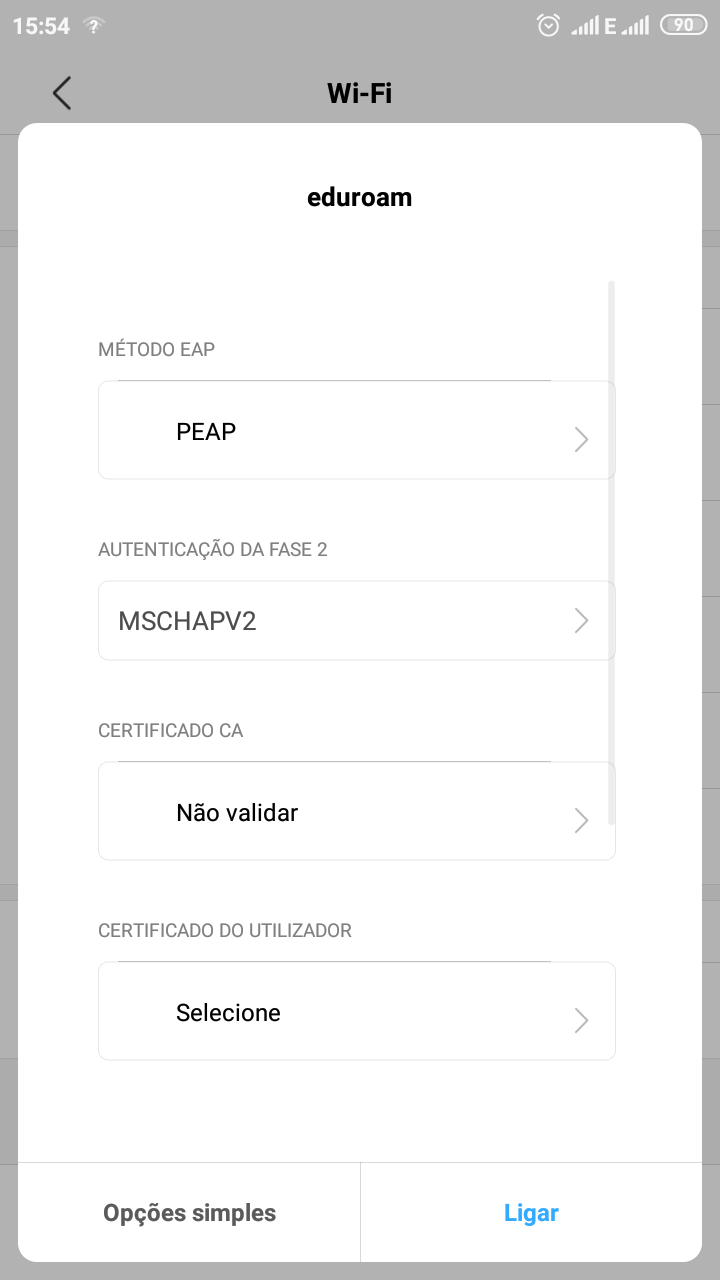
Open the Wi-Fi networks menu and select the “eduroam” network.
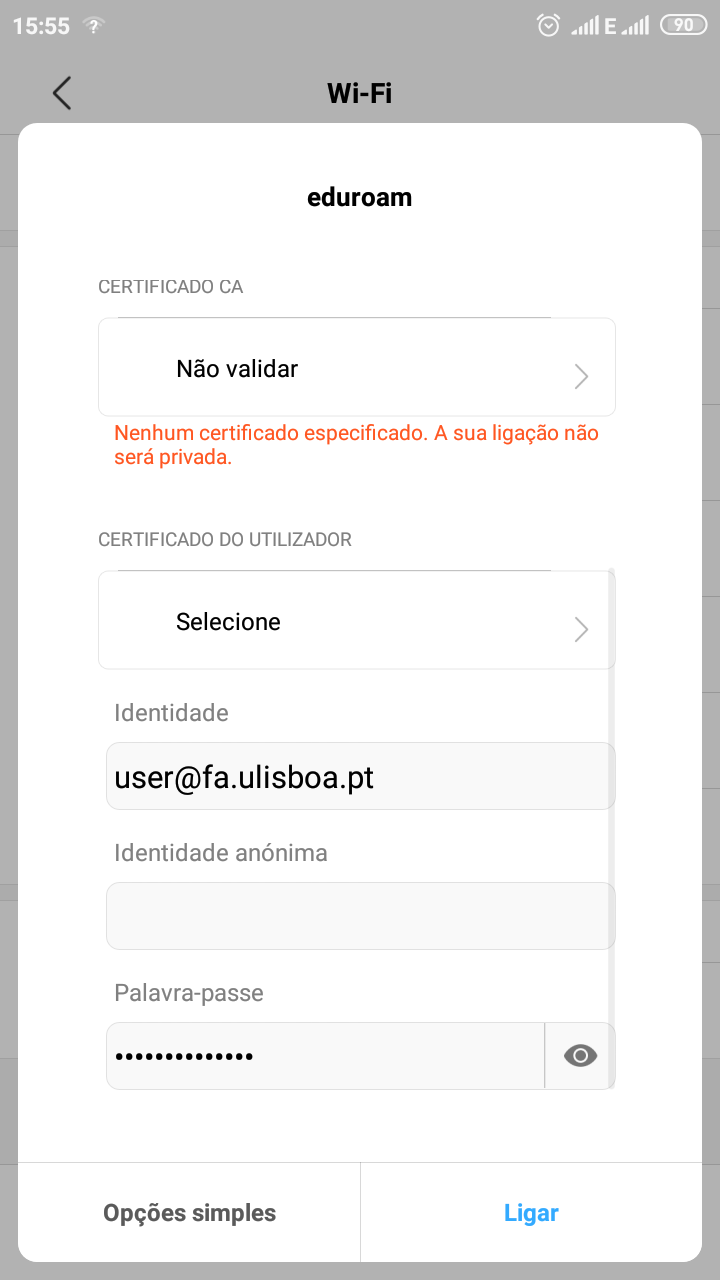
In EAP method choose PEAP; in Phase 2 authentication, MSCHAPV2; in CA certificate, Do not validate.
Fill in the identity (enrolmentnumber@fa.ulisboa.pt) and the password and connect.
iOS
In Settings › Wi-Fi, choose the “eduroam” network.
Type your username (enrolmentnumber@fa.ulisboa.pt) and password and tap “Join”.
When the ul-rad02.ul.pt certificate appears, tap “Trust”.
The eduroam network is connected.
Windows
Select the “eduroam” network in the list of Wi-Fi networks.
In the sign-in window, type your username (enrolmentnumber@fa.ulisboa.pt) and password and click OK.

